

Your phone feels warm in your pocket, then hot in your hand. The screen dims on its own, the battery drops fast, and sometimes the phone even shuts down. This phone overheating fix walks through the causes in order. It goes from a two minute cool down to the deeper settings that stop the heat coming back.
A phone gets hot when its processor, battery, or radio works hard. Gaming, video calls, charging, and weak signal all add heat. Work through these fixes in order, and test after each change. Most phone overheating problems stop without a repair shop.
Why a Phone Gets Hot in the First Place
A phone has no fan, so it sheds heat through its body. That is why the back feels warm during heavy use. In addition, the battery gives off heat while it charges, and the processor gives off heat while it runs games or video. Meanwhile, a weak mobile signal makes the radio work harder, which adds even more heat. A little warmth during charging or gaming is normal. Heat that makes the phone hard to hold, or that shuts it down, is not normal. The phone overheating fix below finds which cause is yours, then stops it.
For the maker’s own guidance, see Apple’s support page on what to do if your iPhone or iPad gets too hot or too cold.
Phone Overheating Fix 1: Cool the Phone Down Right Now
Start with a fast cool down. These steps drop the temperature in minutes, and they cost nothing.
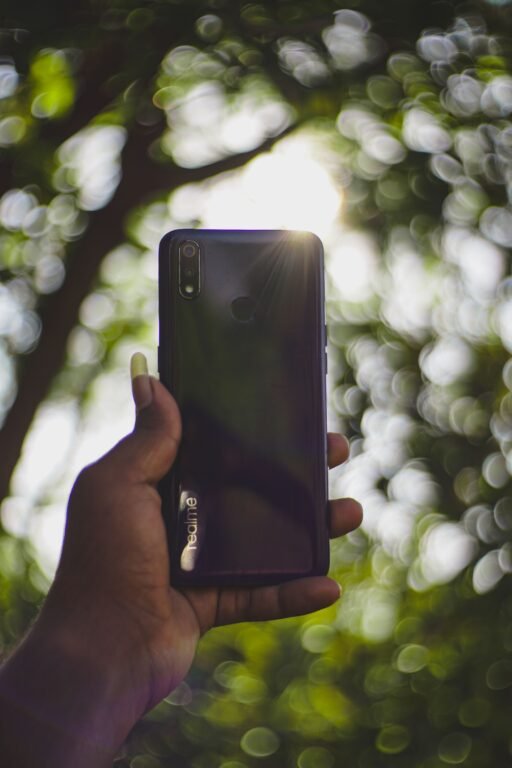
- Move it out of the sun: Take the phone out of direct sunlight and off hot surfaces like a car dashboard. Heat from the sun stacks on top of the heat the phone makes itself.
- Take the case off: Remove the case for a few minutes. A thick case traps heat against the back of the phone, so removing it lets the heat escape.
- Unplug the charger: If the phone is charging, unplug it until it feels cool again. Charging adds heat, and a hot phone charges slower on purpose to protect the battery.
- Close heavy apps: Close games, video apps, and video calls for now. Then turn on Airplane Mode for five minutes if the phone still feels hot. This rests the processor and the radio at once.
- Let it cool on its own: Put the phone on a cool hard surface, like a table, and leave it alone. Do not put it in the fridge or freezer. Sudden cold causes condensation inside the phone, and that moisture can damage it.
- Screen dimming is a warning, not a fault: Many phones dim the screen when they get hot. That is the phone protecting itself. Let it cool before you push it again.
Phone Overheating Fix 2: Find the App That Causes the Heat
If the phone cools down but heats up again fast, one app is usually the cause. A stuck app can run the processor all day in the background. Your battery screen names that app for you.

Android
- Open Battery usage: Go to Settings, then Battery, then Battery usage. Look at the apps at the top of the list.
- Spot the outlier: An app with high background use that you barely opened is the suspect. Tap it, then turn on Battery optimization or restrict its background use.
- Force stop a stuck app: Go to Settings, then Apps, then tap the app, and tap Force stop. Open the app again later and see if the heat stays away.
iPhone
- Open Battery settings: Go to Settings, then Battery. Look at Battery Usage by App for the last 24 hours.
- Spot the outlier: An app with high background activity that you barely used is the suspect. Tap it to see its background time.
- Turn off Background App Refresh for it: Go to Settings, then General, then Background App Refresh. Switch that app off, so it only runs while you use it.
- Delete and reinstall the app if it stays hot: A fresh install clears a stuck cache or a broken update. Your account data stays safe if the app syncs to your account.
Phone Overheating Fix 3: Turn Down the Everyday Heat Makers
Small settings changes cut heat all day long. None of them stop you using the phone normally. Together, they make a real difference, and this phone overheating fix works best when these settings stay changed.
- Lower the screen brightness: Turn on Auto Brightness, or drag brightness down by hand. The screen is one of the biggest heat makers on any phone.
- Shorten the screen timeout: Set the screen to turn off after 30 seconds or one minute. A screen left on in a pocket or on a desk keeps making heat for no reason.
- Switch off 5G when you do not need it: On Android, go to Settings, then Network, then Preferred network type, and pick 4G. On iPhone, go to Settings, then Mobile Data, then Mobile Data Options, then Voice and Data, and pick 4G. A weak 5G signal is a common heat maker.
- Use Wi-Fi instead of a weak mobile signal: When you are indoors with Wi-Fi, connect to it. A phone hunting for a weak mobile signal heats up fast, while Wi-Fi uses far less power.
- Turn off location for apps that do not need it: Go to your location or privacy settings and set most apps to use location only while using the app. Constant GPS tracking heats the phone and drains the battery.
- Cap game graphics and frame rate: In a game that heats the phone, open its settings and lower the graphics quality and frame rate. High graphics push the processor hardest, so this one change cools long gaming sessions a lot.
Phone Overheating Fix 4: Fix Heat While Charging
Charging always makes some heat, but a hot phone while charging usually means the charger, the cable, or the way you use it. Fix the charging setup and the heat drops.
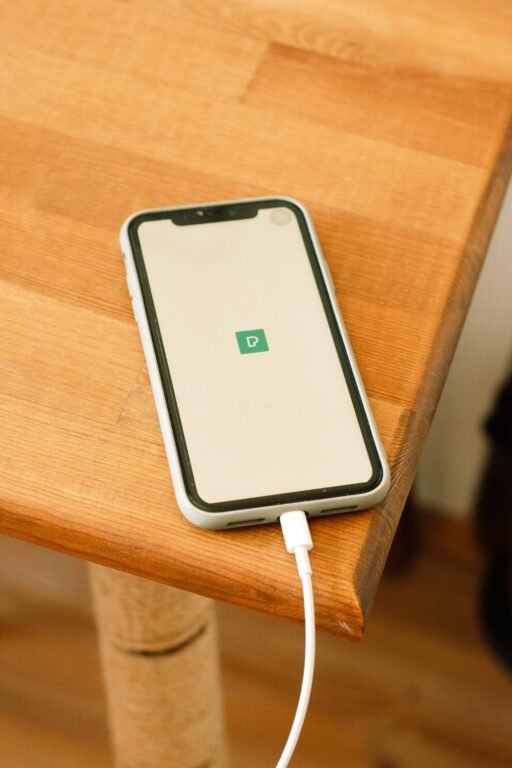
- Use a certified charger and cable: Use the charger that came with the phone, or a certified one from a known brand. Cheap chargers can feed unstable power, and that makes extra heat.
- Do not game or video call while charging: Heavy use plus charging is the fastest way to heat a phone. Let it charge in peace, then play once it is unplugged.
- Charge on a hard surface: Charge the phone on a table, not on a bed, sofa, or blanket. Soft surfaces trap heat under the phone.
- Try wired charging if wireless runs hot: Wireless charging makes more heat than a cable. If the phone gets hot on a wireless pad, switch to a cable for a while.
- Charge in a cool room when you can: Avoid charging in a hot car or in direct sun. A cool room keeps the battery in its safe range, so the phone does not slow charging down.
- Overnight charging is fine, but keep it cool: Modern phones stop charging at full and trickle from there. Still, keep the phone out from under a pillow while it charges overnight.
Phone Overheating Fix 5: Update, Then Reset Settings If It Still Runs Hot
When no single app is at fault, a software bug may be heating the phone. Updates fix those bugs, and a settings reset clears a bad setting without deleting your photos or chats.
- Install the latest software update: On Android, go to Settings, then System, then Software update. On iPhone, go to Settings, then General, then Software Update. Install any update waiting there, then test for a day.
- Update your apps too: Open the Play Store or App Store and update every app. An old app version can loop in the background after a system update.
- Reset all settings as a last step: On Android, go to Settings, then System, then Reset options, and pick Reset all settings. On iPhone, go to Settings, then General, then Transfer or Reset iPhone, and pick Reset All Settings. This keeps your photos and apps, but clears Wi-Fi passwords and settings, so note those down first.
Offline alternative, no cloud backup needed: Before any reset, back up by plugging the phone into a computer with a USB cable and copying your photos and files over. That copy needs no internet at all, and it keeps your files safe even if the reset goes wrong.
If your phone also restarts on its own when it gets hot, see our guide to a phone keeps restarting fix next. Heat shutdowns and random restarts often share the same cause.
When a Hot Phone Means Real Danger
Most heat is harmless and fades with the fixes above. A few signs mean you should stop using the phone and get it checked, because the battery itself may be failing.
- The battery looks swollen or the screen is lifting: Stop charging it at once and do not press on the swollen area. Take it to a repair shop, and never puncture a swollen battery.
- The phone smells like chemicals or burning: Switch it off, move it away from anything flammable, and get it checked. Do not charge it again until a repair shop looks at it.
- The phone is too hot to hold, even after cooling steps: That level of heat is past normal use. Let it cool fully, back up your files, and book a battery check.
- The phone shuts down every time it warms up: Repeated heat shutdowns point at a failing battery or a hardware fault. A battery replacement usually fixes it, and it costs far less than a new phone.
Tricks That Do Not Fix a Hot Phone
- Putting the phone in the fridge or freezer: Sudden cold causes condensation inside the phone. That moisture can short parts that heat alone never harmed.
- Closing every app after each use: Force closing all apps makes the phone reload them from scratch, which uses more power and makes more heat. Close only the app that is actually misbehaving.
- Installing a cooling or booster app: Most of these apps only show ads and run in the background themselves. The battery screen in Fix 2 finds the real culprit for free.
- Buying a new battery before checking the settings: A new battery cannot fix a runaway app or a weak signal. Work through the fixes first, then replace the battery only if the heat stays.
FAQ: Phone Overheating Fix
Why does my phone get hot even when I am not using it? An app running in the background is the usual cause, or a weak signal that keeps the radio working hard. Check the battery screen in Fix 2 for the app, and switch to Wi-Fi or Airplane Mode in a weak signal area to test the radio.
Is it normal for a phone to get warm while charging? Yes, mild warmth while charging is normal. Heat that makes the phone uncomfortable to hold is not. Unplug it, let it cool, and check the charger and cable steps in Fix 4.
Can a hot phone damage the battery for good? Yes, long spells of high heat wear a battery out faster. That is why phones slow down or shut down when they get too hot. Cool the phone early and the battery lasts much longer.
More Phone Overheating Questions
Does 5G make a phone hotter than 4G? It can, mainly where the 5G signal is weak and the phone keeps hunting for it. Switching to 4G in Fix 3 often cools the phone right down, with no real loss for browsing and messaging.
Should I take the case off for good? No, a case protects the phone from drops. Take it off only while the phone cools down, or switch to a thinner case if your phone runs hot every day.
Can I fix phone overheating without the internet? Yes. The cool down, the battery screen check, the settings changes, and the charging fixes all work offline. Only the software update in Fix 5 needs a connection, and the USB backup alternative covers your files without the cloud.
Final Words
This phone overheating fix works because it follows the heat itself. First, cool the phone down and get it out of the sun. Next, find the app that runs hot in the background. Then, turn down brightness, 5G, and location use. After that, fix the charging setup, with a cable instead of a wireless pad if needed. Finally, update the software and reset settings only if the heat stays. Work through those steps in order, test after each change, and most hot phones run cool again without a repair shop.